 In development
Delivery App for Abas ERP
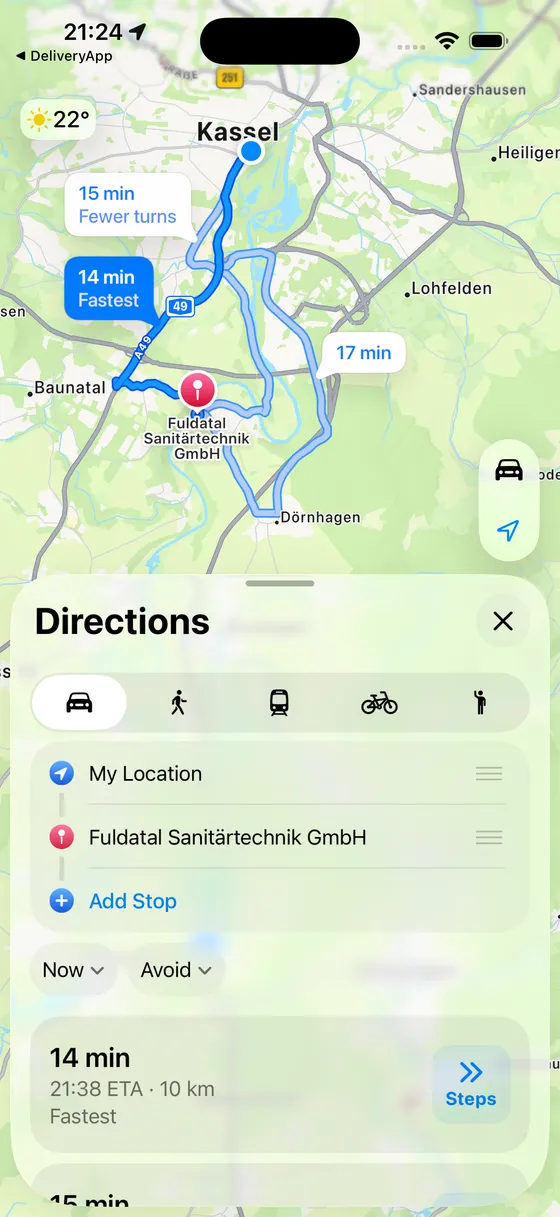
Today's route on the iPhone – deliver, get the signature, done
Drivers work through the delivery notes on their own route from the device – with digital signature, photo proof and automatic write-back to Abas ERP. Instead of paper stacks and calls to the office.
The app is still in development. The App Store link will appear here once it is published.
- Platforms
- iPhone · iPad
- Status
- In development
- Pricing
- Licence per device · billed monthly or annually in advance
- Support
- support@ccschwarz.de
Screenshots




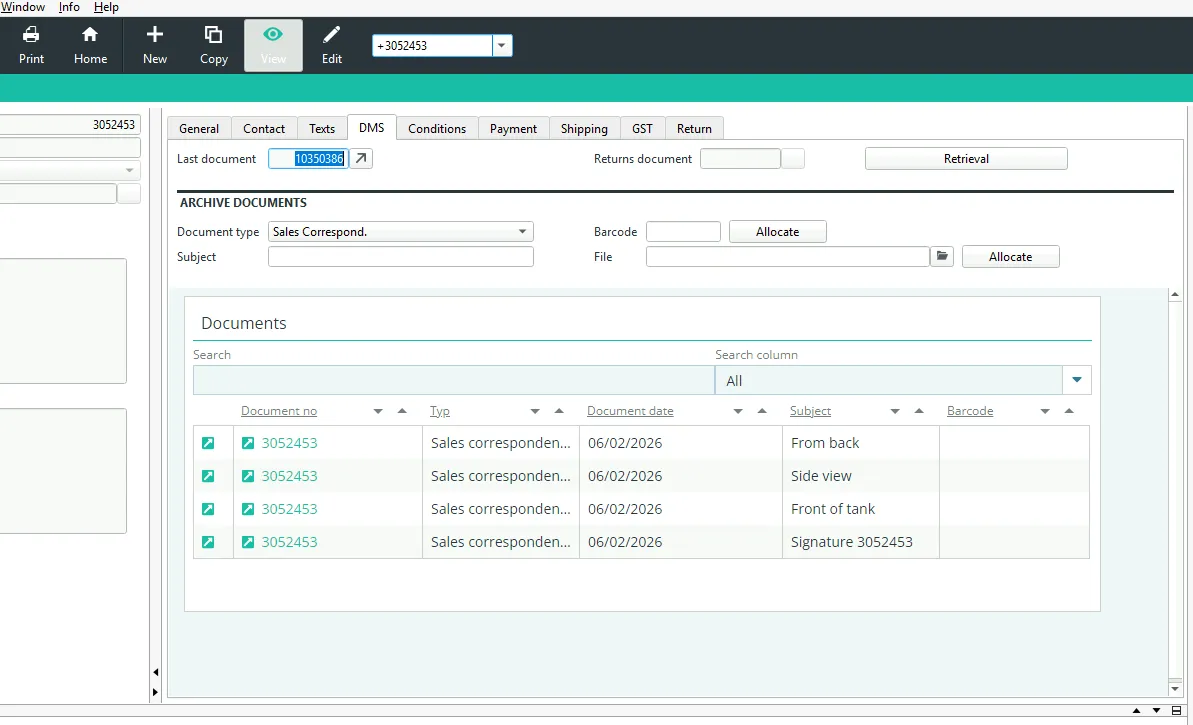
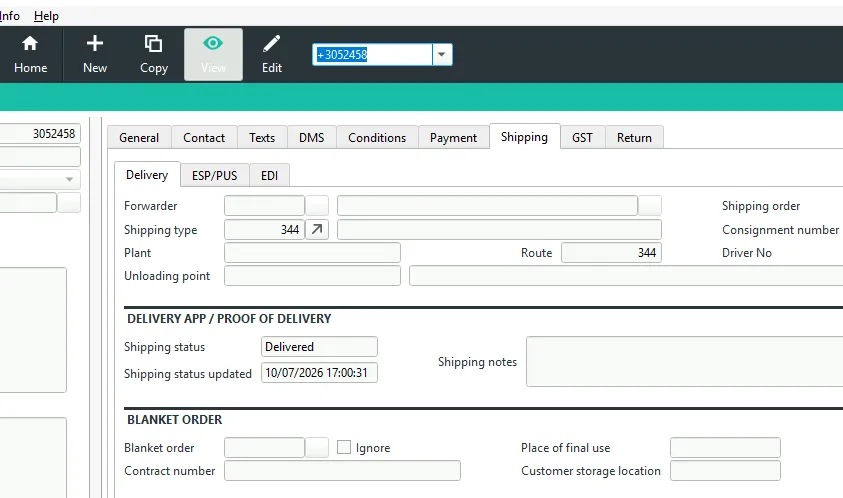
And this is how it lands in Abas ERP
Whatever is captured on the road ends up in the ERP – with no re-entry at the office.
Features
Today's route, straight from Abas ERP
On launch the app loads the delivery notes for the driver's own route. Every stop shows the customer, delivery address, line items and quantities – in full, with no printout and no call to the office.
A signature that holds up
The recipient signs directly on the device. Name, location, timestamp and a checksum belong to the signature and are archived against the delivery note in the document management system.
Photos instead of arguments
Condition of the goods, where they were left, a blocked access road: whatever is photographed does not have to be reconstructed later. The images stay attached to the delivery note, not on a private phone.
Works without a connection
Deliveries, signatures and photos are captured locally and sync as soon as there is a connection again. The sync overview shows at any time what has been transmitted and what is still pending.
Stops in drivable order
Using GPS the app puts the stops into a sensible driving sequence and plots them on the map. Navigation to the next customer starts from there with a single tap.
Master data on the road
Customers and articles can be looked up directly in Abas. Multiple clients (mandants) are supported – switching takes one tap.
Why the paper delivery note is the problem
The goods are with the customer, the signature is on a carbon copy in the cab – and in the ERP the delivery is invisible until the evening. Anyone who asks gets an answer from memory. If the slip is lost, so is the proof that the delivery happened at all.
The Delivery App closes exactly that gap: it brings today’s route from Abas ERP to iPhone and iPad, lets the handover be documented where it happens, and writes the result back into the ERP – status, signature and photos included.
How it fits the working day
In the morning the driver loads the route. Stops appear in drivable order, every delivery note shows line items and quantities. At the customer’s site the recipient signs on the device; photos and a note can be added where needed. That sets the status for the stop – delivered, not delivered or problem.
Back at the office nobody has to re-enter anything: the feedback is already in the ERP, the proof of delivery filed against the delivery note in the document management system. Anyone who wants to know whether the route is finished can see it in Abas – not once the folder comes back.
Dependable without a signal
Construction sites, industrial estates, basement loading bays: on the road a connection is the exception, not the rule. Every entry is therefore stored locally on the device first and transmitted automatically later. The sync overview shows per stop whether signature and photos have arrived, so what is still outstanding stays visible.
Licensing and download
Licences are purchased and managed in the customer portal; the app itself is downloaded from the App Store by the users. Billing is in advance, monthly or annually. The specifics – number of licences, fees and any minimum term – are set out in the respective order; the Terms of Use apply in addition.
Requirements
- Abas ERP version 2019r4 or later (earlier versions are not supported)
- An active Abas ERP instance licensed separately by your company
- Access to the Abas REST server
- Minor changes in Abas ERP: one enumeration and three fields in the sales database
- As standard: the proXess document management system by Proxess GmbH; other systems subject to a separate agreement
- An iPhone or iPad for each user
- A company account in the customer portal and an activated installation
Abas ERP itself is a product of Forterro Abas Deutschland GmbH and is licensed independently of this app; information about the ERP system is available from the vendor at abas-erp.com.
Data processing in brief
The app is not a cloud service. Location data and delivery documentation are processed locally on the devices and exchanged directly between the app and your own Abas ERP; we have no access to it. We only process what arises from the contract, licence verification and support. The details are in the privacy policy for the app.
Frequently asked questions
Which Abas version is required?
Are changes to Abas ERP required?
How can access to the Abas REST server be set up?
Which document management system is supported?
How is the app licensed?
Do we need an Abas ERP licence as well?
Do you as the vendor see our delivery and location data?
Is the location feature a way to monitor staff?
Let's talk about your project
A first conversation costs nothing but half an hour – and afterwards you will know whether we are a good fit.