 Available
Service App for Abas ERP
The whole service call on the iPad – from appointment to signature
Service technicians see their appointments, the equipment and the parts in the van, record hours and material and have the service report signed on the iPad at the customer's site – live in your own Abas ERP.
- Platforms
- iPad
- Status
- Available
- Pricing
- Licence per device · billed monthly in advance
- Where to get it
- Download on the App Store
- Support
- support@ccschwarz.de
Screenshots
Features
The week at a glance
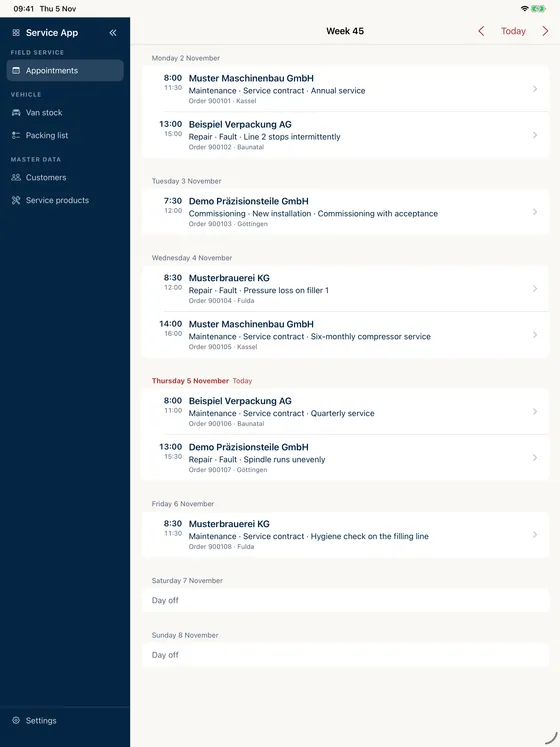
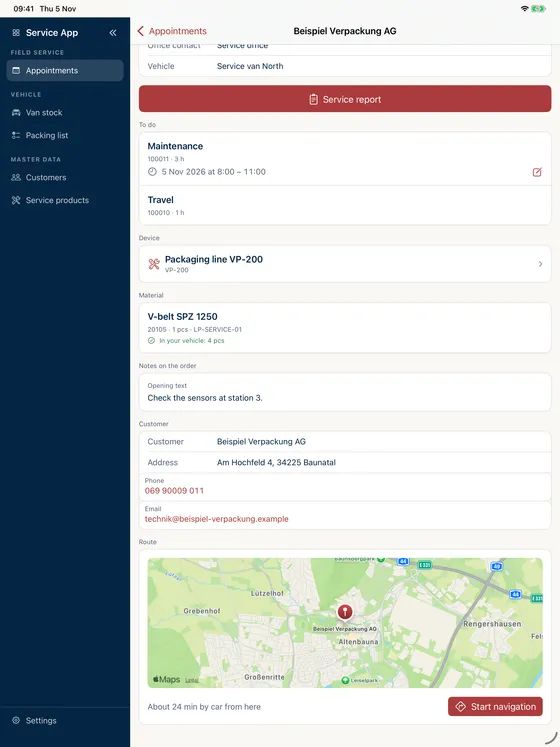
Your own appointments from Abas, one entry per order and day. The map shows the site, the app shows the travel time from where you are, and one tap starts navigation in Apple Maps. If plans change, technicians move the time themselves or add another appointment.
Know the equipment
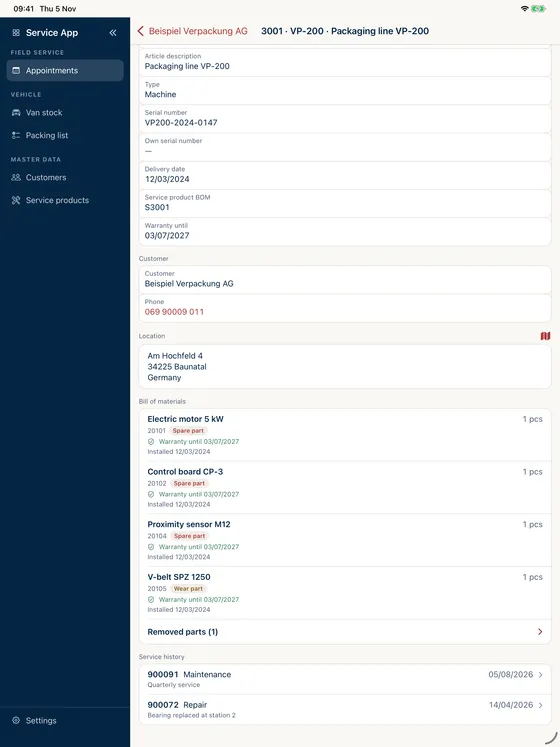
Find service products by search or by scanning the nameplate. The bill of materials shows spare and wear parts, warranty, and the parts fitted and removed; the history lists every service order on the unit.
The right part in the van
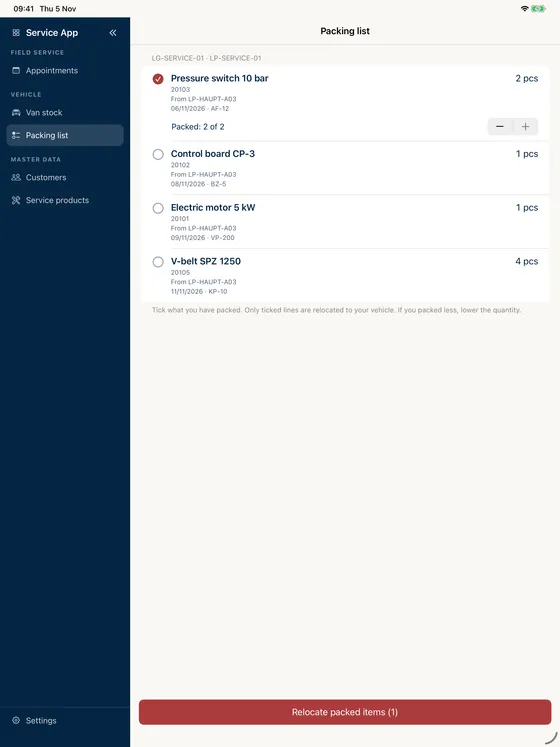
Van stock comes from the storage location of the employee role. The packing list shows the relocation suggestions from Abas: tick off what you have packed, partial quantities included, and the transfer is posted. If a part is missing, the app shows which warehouse or van it is in.
Hours and material without paper
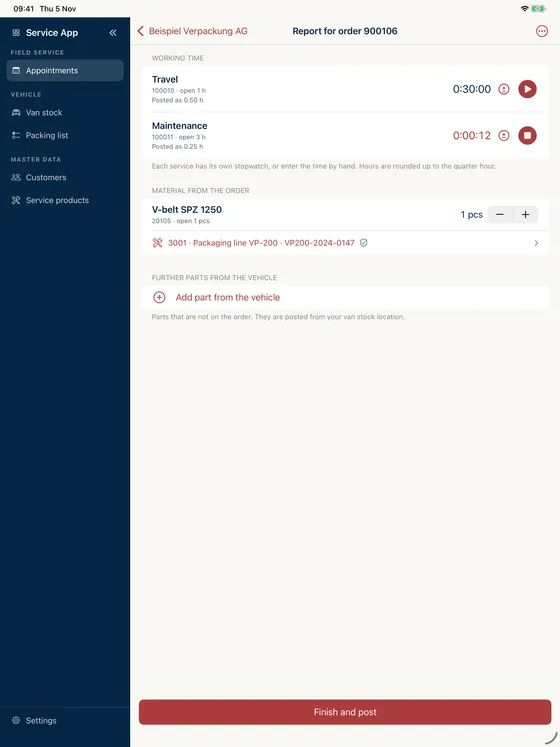
A stopwatch for each service or times added by hand, rounded up to the quarter hour. Material comes from the order or straight from the van.
Signed on site
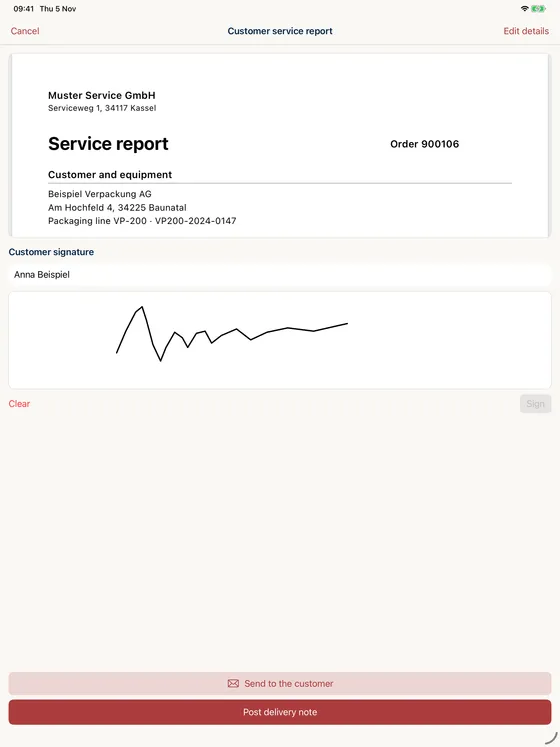
Abas prints the service report with your own layout, the customer signs on the iPad, and the PDF goes out from the mail window to their address.
Posted once
One tap posts the delivery note for the service order with hours and material. A reference in the document prevents anything from being posted twice.
Why the report otherwise gets written twice
The technician is at the customer’s site, and the report is written on paper that evening or at the office the next day. Hours and material get retyped, the signature sits on a slip, and days pass before the invoice. Anyone on the road who needs to know whether a part is in the van, or what was last done on a unit, calls the back office.
The Service App brings the service order from Abas ERP to where the work is done. What the technician records goes straight back into the ERP.
How the app fits into the workflow
The day starts with your own appointments. Before setting off, the packing list shows what belongs in the van for the coming calls and transfers what has been packed. At the customer’s site the technician opens the order, sees the equipment, its bill of materials and its history, and runs a stopwatch for each service. Material comes from the order or from the van.
At the end, travel times are filled in and the distance comes from the route. Abas produces the service report, the customer signs on the iPad, and one tap posts the delivery note for the service order.
Real transactions in the ERP
Appointment changes, transfers and delivery notes are real postings in your Abas installation, made under the technician’s Abas user. Travel times and distances are approximate values from Apple Maps, and hours are rounded up to the quarter hour. Please check the values before you invoice them.
The screens belong to your company
Screens, fields and your own objects are configured in the customer portal. Your own fields and objects are components you book as needed. The layout of the service report stays your own: Abas prints it the way you set it up there.
Purchase and licensing
The licence is purchased and managed in the customer portal; users download the app itself from the App Store. Billing is monthly in advance. The details – number of licences, fees and minimum term – are set out in the respective order; the Terms of Use apply in addition.
Requirements
- Abas ERP version 2200r8 or later, in your own installation or in the Abas Cloud (full compatibility with earlier versions is not guaranteed)
- An active, separately licensed Abas ERP instance of the company
- Service management set up in Abas ERP
- Access to the Abas REST server
- An iPad with iOS 17 or later
- A company account in the customer portal, a registered device and a valid licence
- A print layout and a printer per client in the customer portal
Abas ERP itself is a product of Forterro Abas Deutschland GmbH and is licensed independently of this app; information about the ERP system is available from the vendor at abas-erp.com.
Data processing in brief
The app is not a cloud service. Appointments, orders, reports and postings are exchanged directly between the app and your Abas ERP; we have no access to them. For travel times and distances, location, destination coordinates and addresses go to Apple Maps, not to us; without location access, only the travel time display is lost. The camera reads codes on the device; images are neither stored nor transmitted. We only process what is needed for the contract, licence checks and support. Details are in the privacy notice for the app.
Frequently asked questions
Which Abas version is required?
What has to be set up in Abas ERP?
Does the app work offline?
Does the signature on the iPad replace written form?
How long do service reports stay on the iPad?
Can we add our own fields and objects?
How can access to the Abas REST server be set up?
How is the app licensed?
Do we need an Abas ERP licence as well?
Do you as the vendor see our service data?
Let's talk about your project
A first conversation costs nothing but half an hour – and afterwards you will know whether we are a good fit.